

Less Admin Work. More Tennis
Lineup, messages, roster, and the tasks for each match. Use the tools you want.
You stay in charge
The site does some of the work. You can still do a task by hand, or outside the app, when that is the better choice. You can use one tool and skip another.
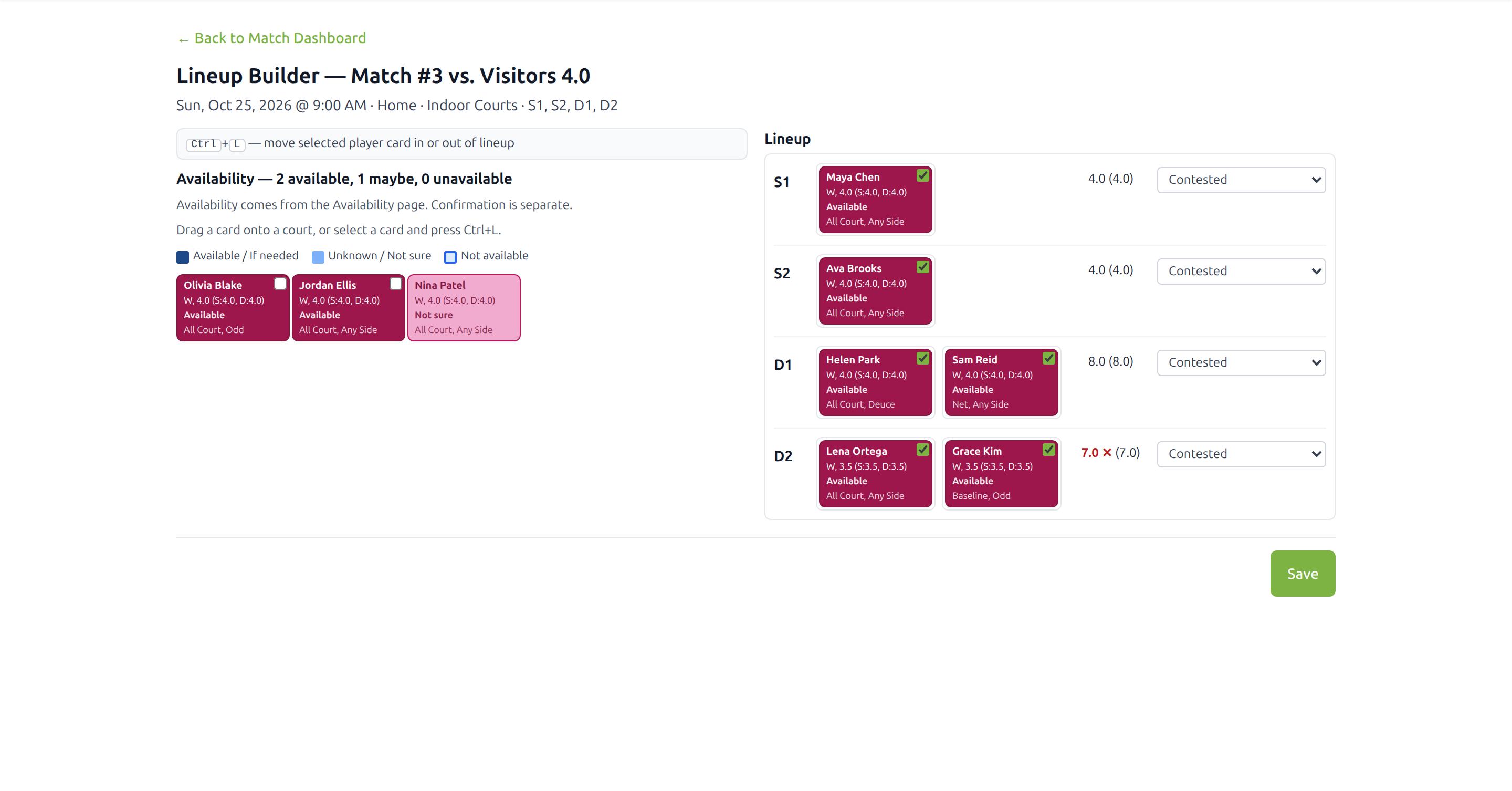
Build the lineup on the screen
Place players on the courts. Men and women are different colors — men’s players use blue shades and women’s players use rose shades. A player who can play is a stronger shade. A lighter shade is not sure or cannot play. A player who cannot be placed is gray stripes. A court shows the official rating total, and your total beside it, once the players for that court are on it. If you have not set your own ratings, your total matches the official one.
The page for this match
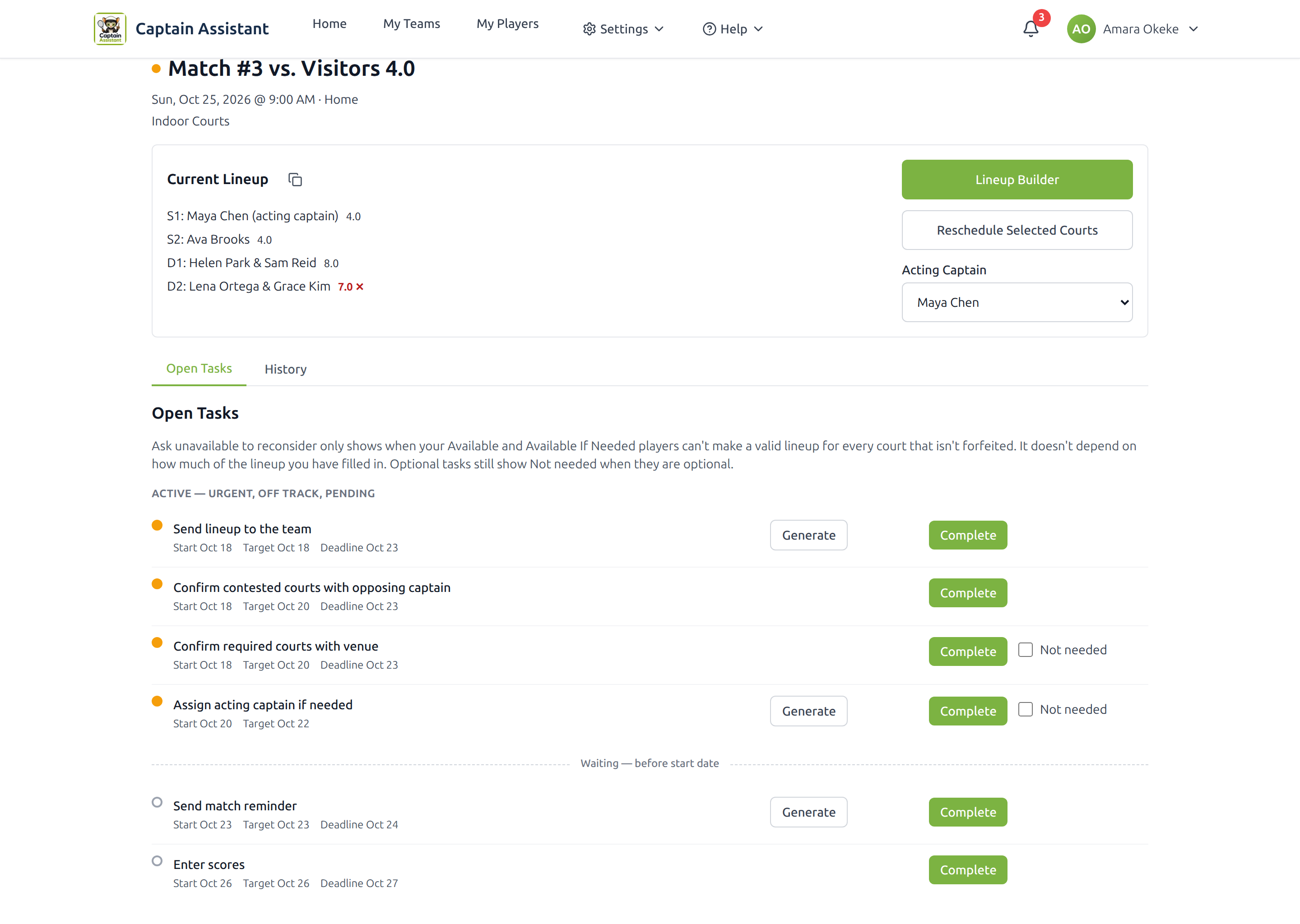
See which tasks need attention. Generate the mail for a task, or mark the task complete yourself. A task can also finish when the players you asked have answered. If you change something that must be done again, that task comes back.
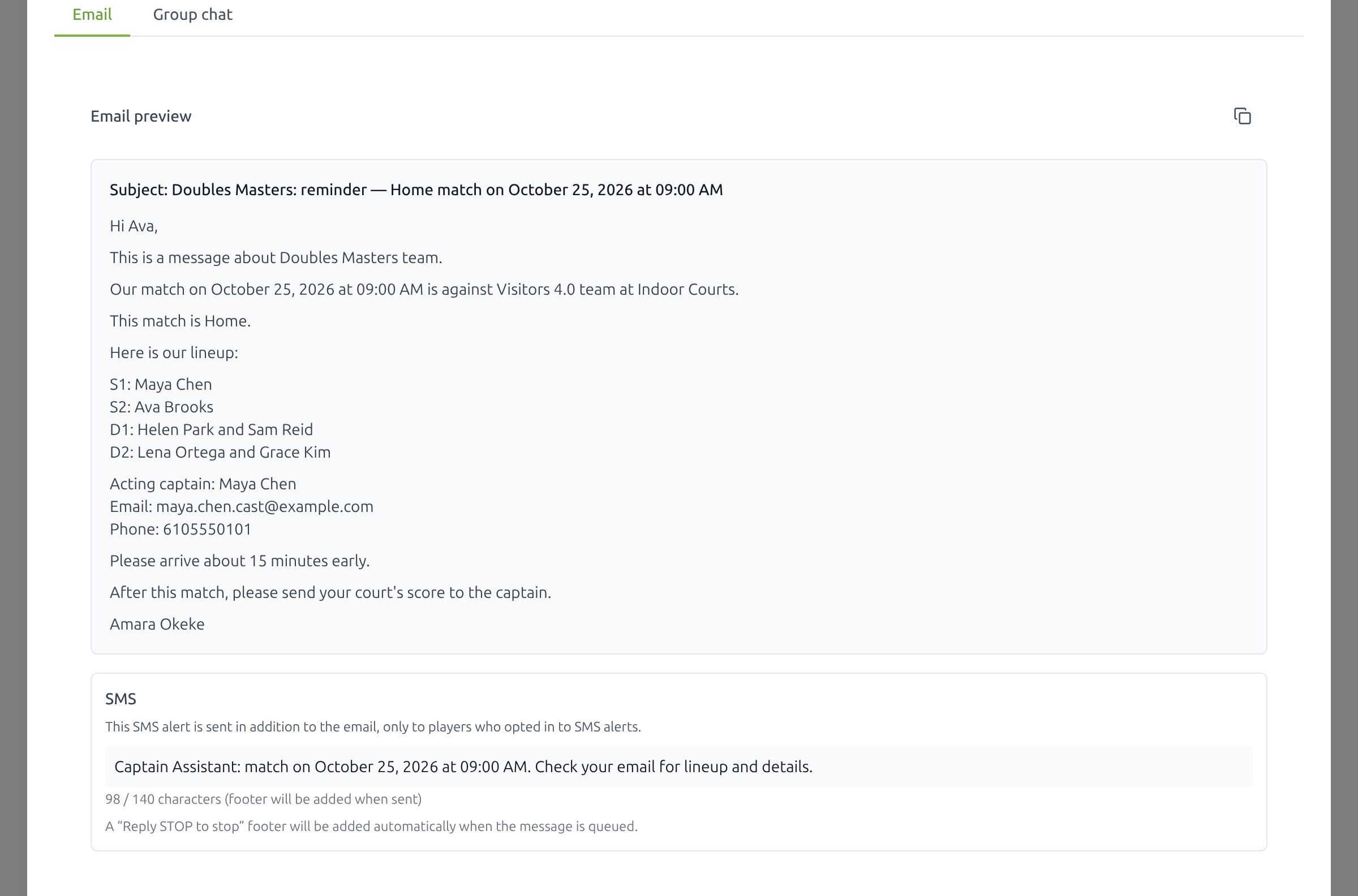
The letter is written. You send it.
The usual invitation, registration, and match letters already include the team. Match letters also include the match. Invitation and registration letters do not include a match. You review them and send them.
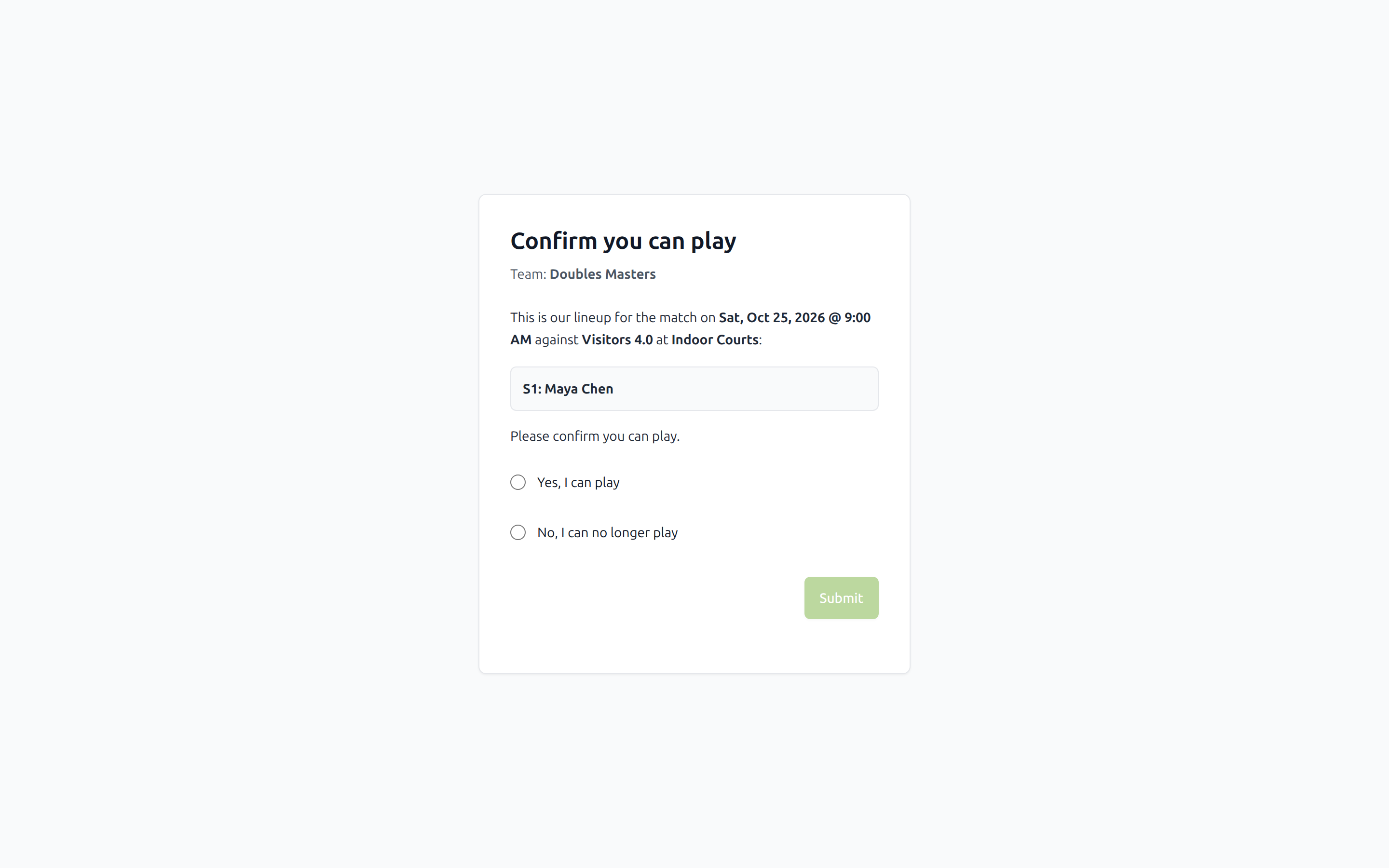
Some letters include a link. The player opens it and answers without signing in, and that answer updates the site.
Players answer from the link in the email
Players do not have to sign in, and they do not have to install an app, to answer you. The message has their own link. The page already knows who they are. A player can create an account to check the schedule, enter availability, and preferences, if they want.
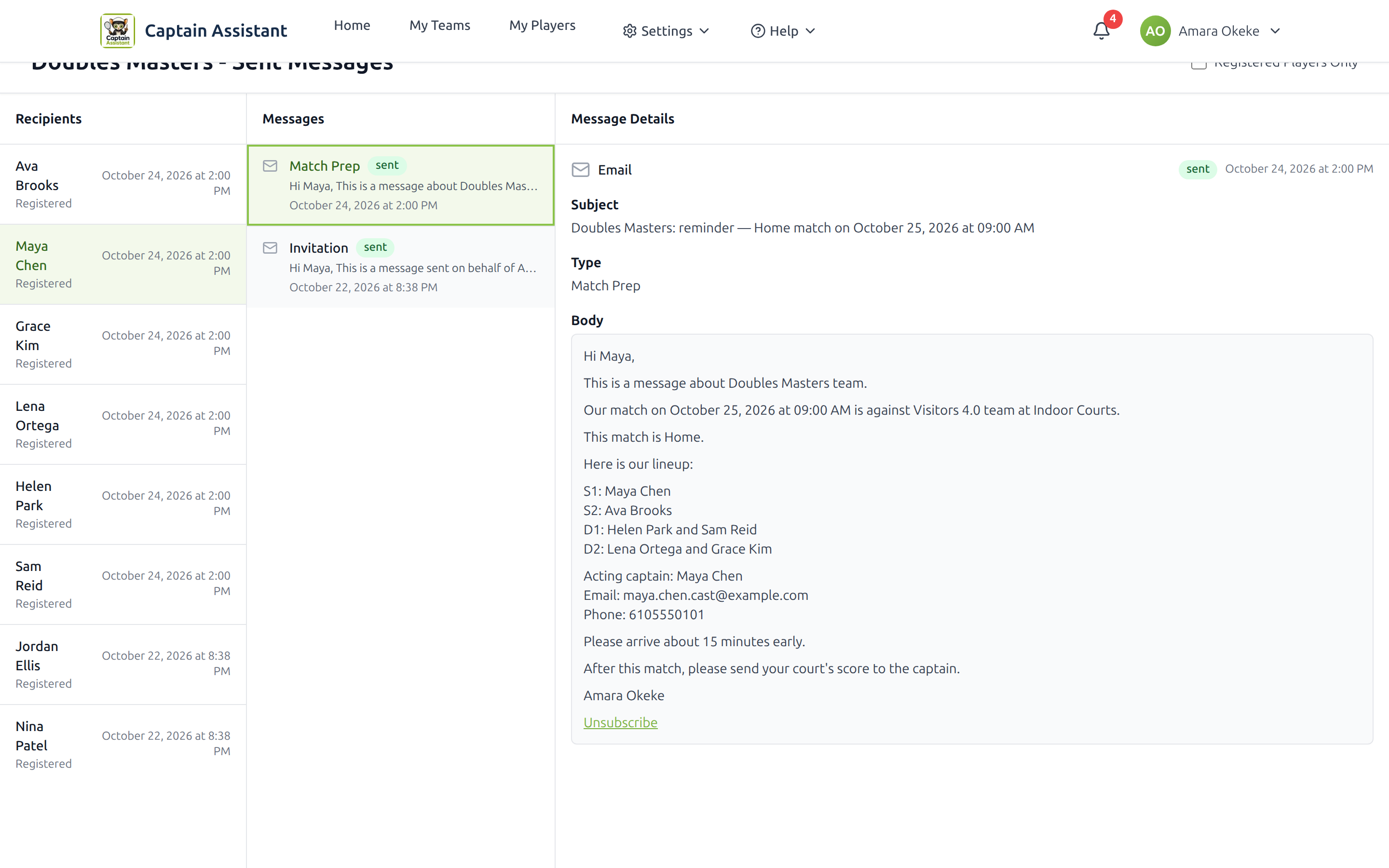
Every send, in one place
Every email and text sent from Captain Assistant is listed by team and by player. You do not have to search your own mailbox.
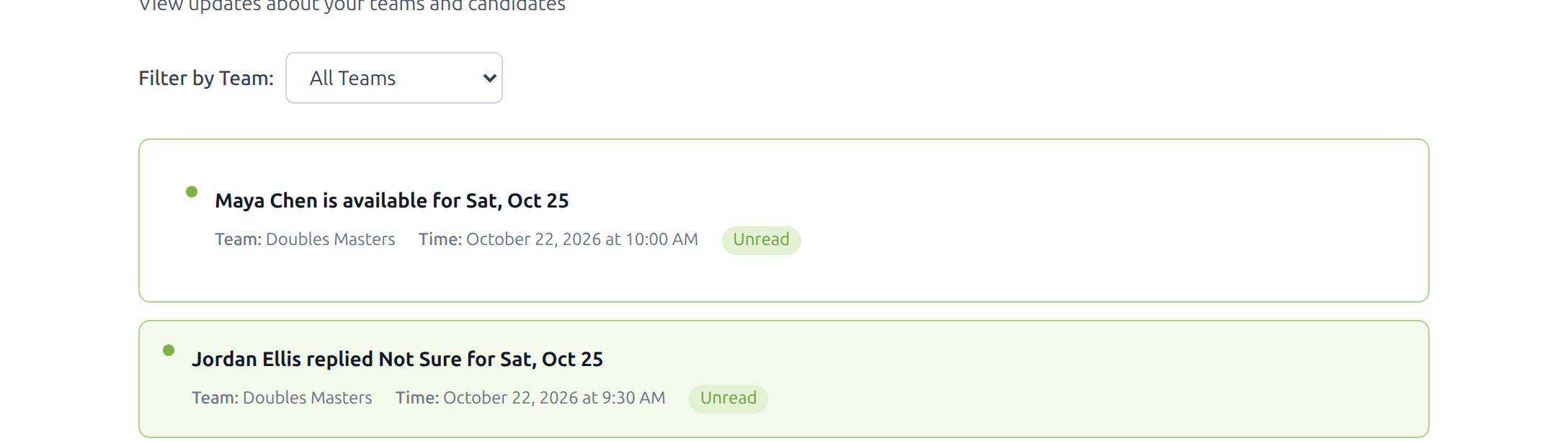
A notice when something needs you
You get a notice when a task is late, and when a player replies.
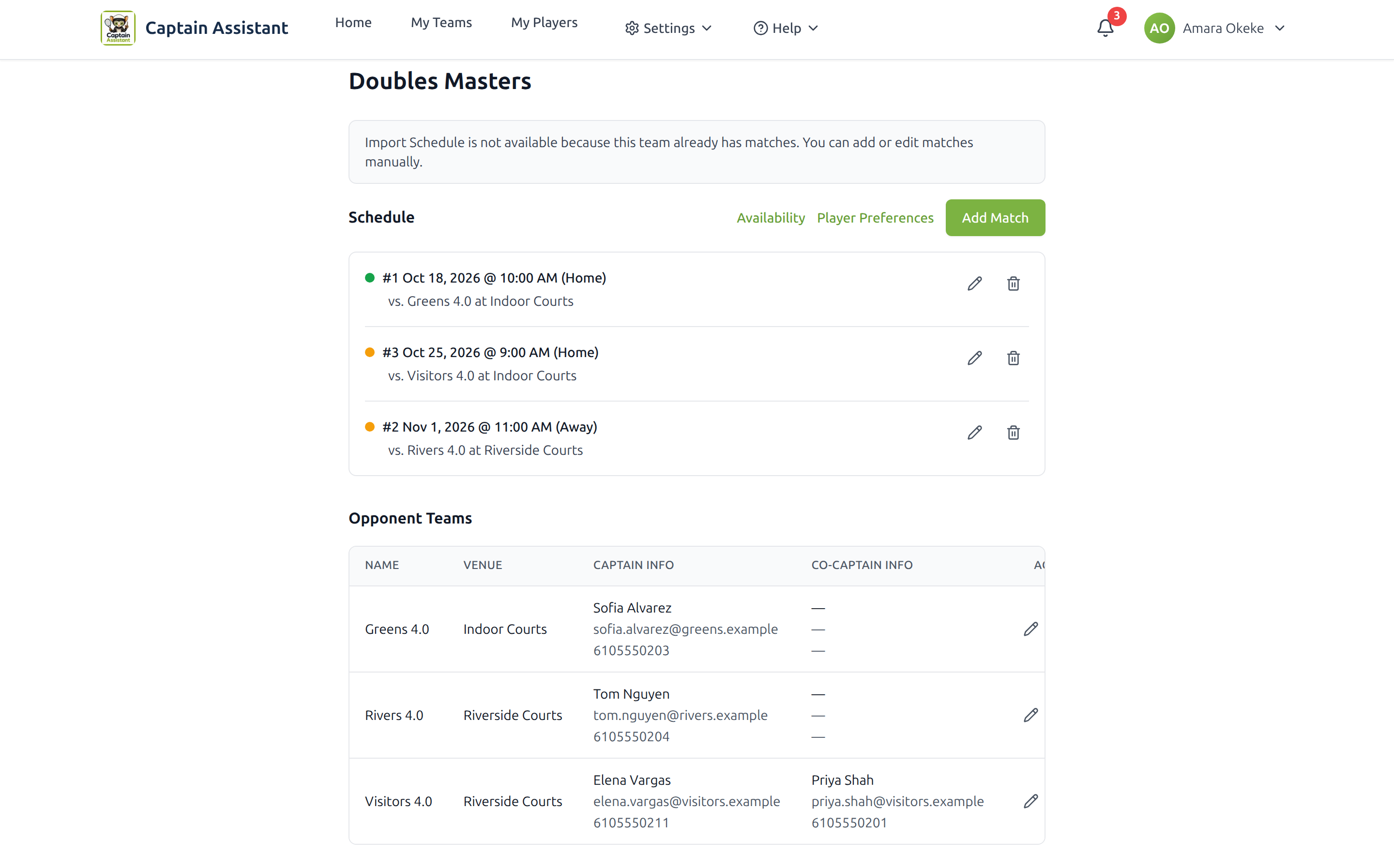
The season, with a color on each match
See the schedule. Each match has a color for its status. Availability and player preferences are one tap away. They stay on their own pages.
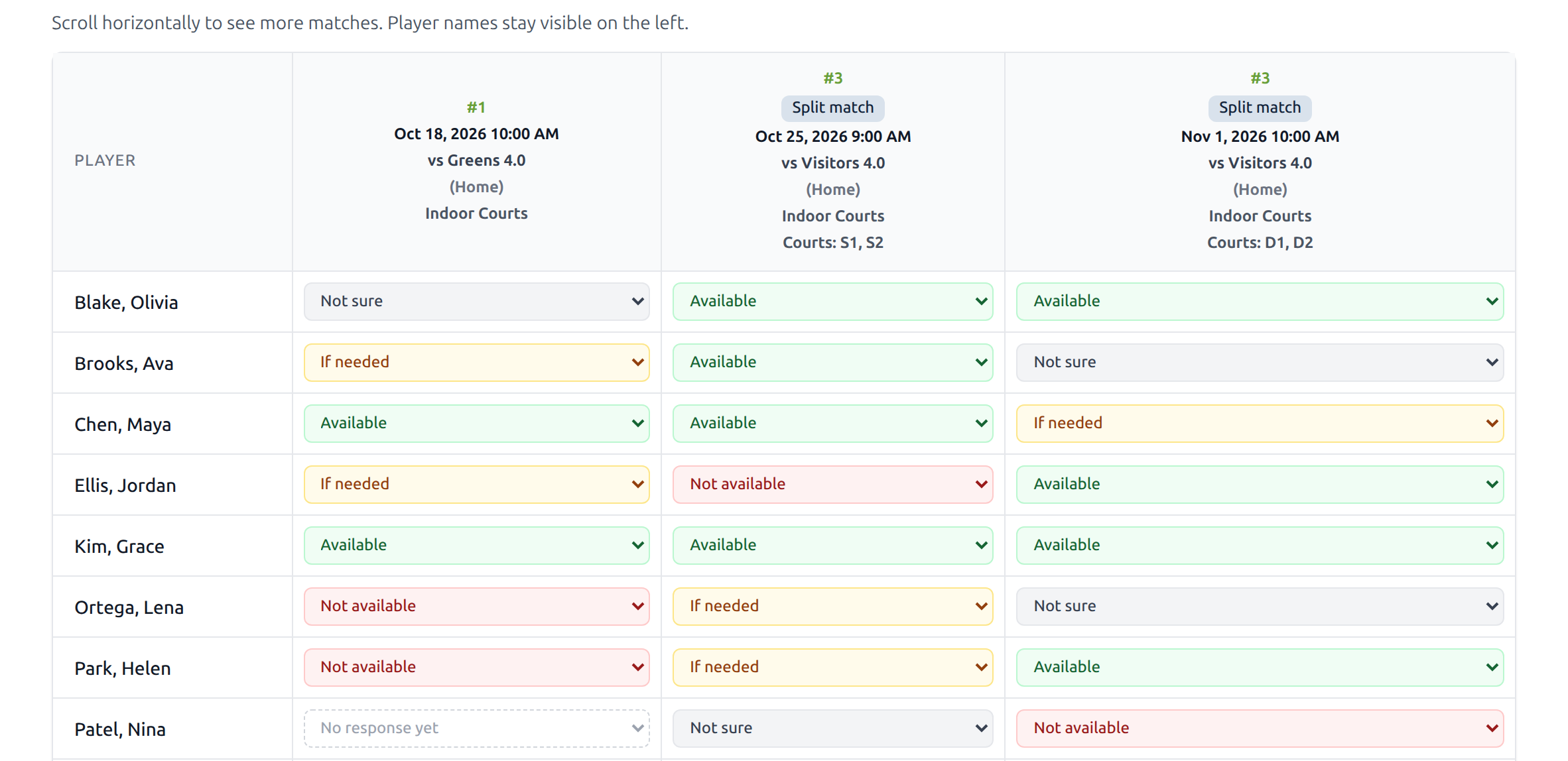
Each part stands on its own
When a match is played in parts, each part has its own availability and its own status.
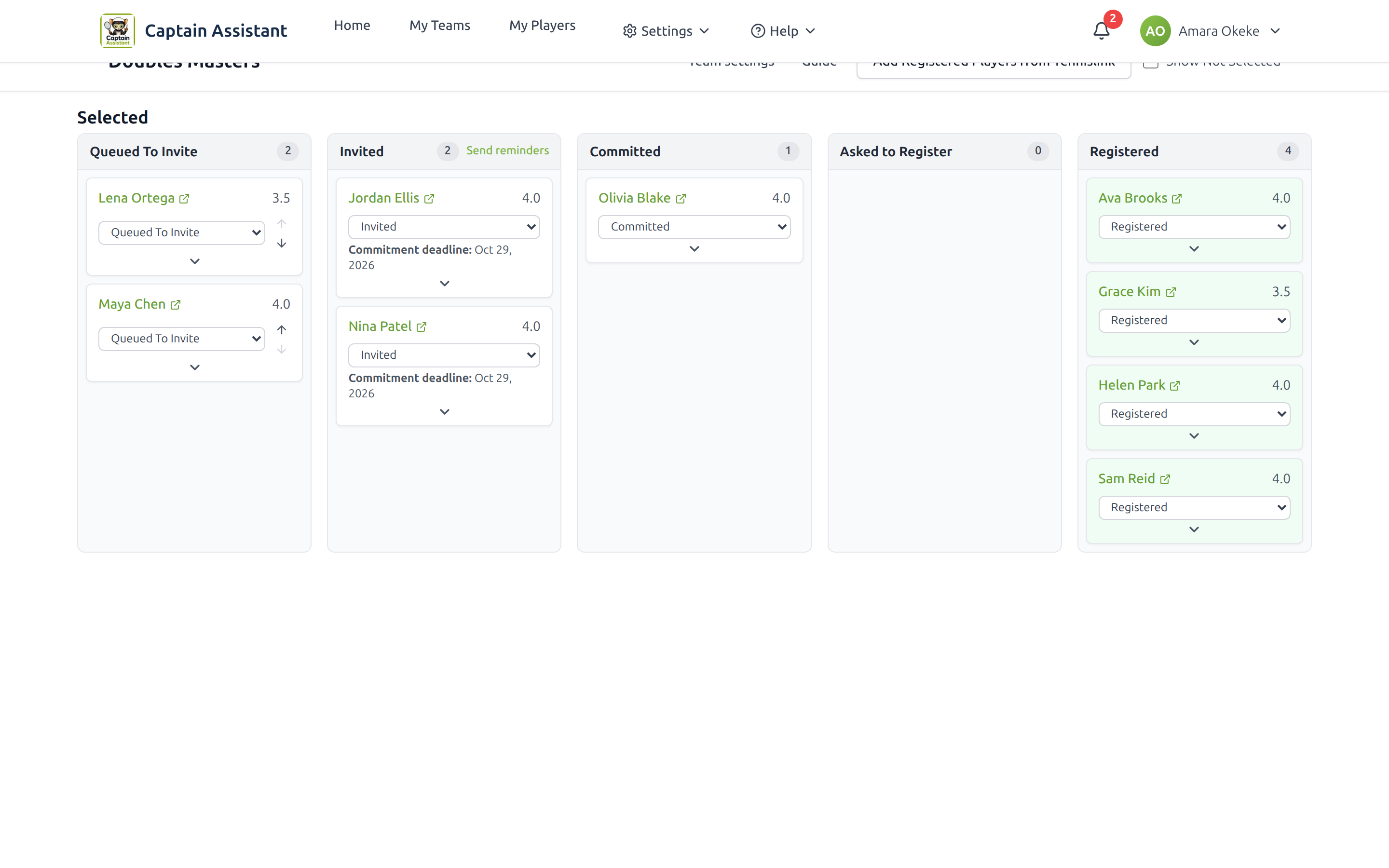
Build the roster, not only the match
Watch each player’s status and change it as the roster changes. Send the invitation, the registration note, and a reminder from the site.
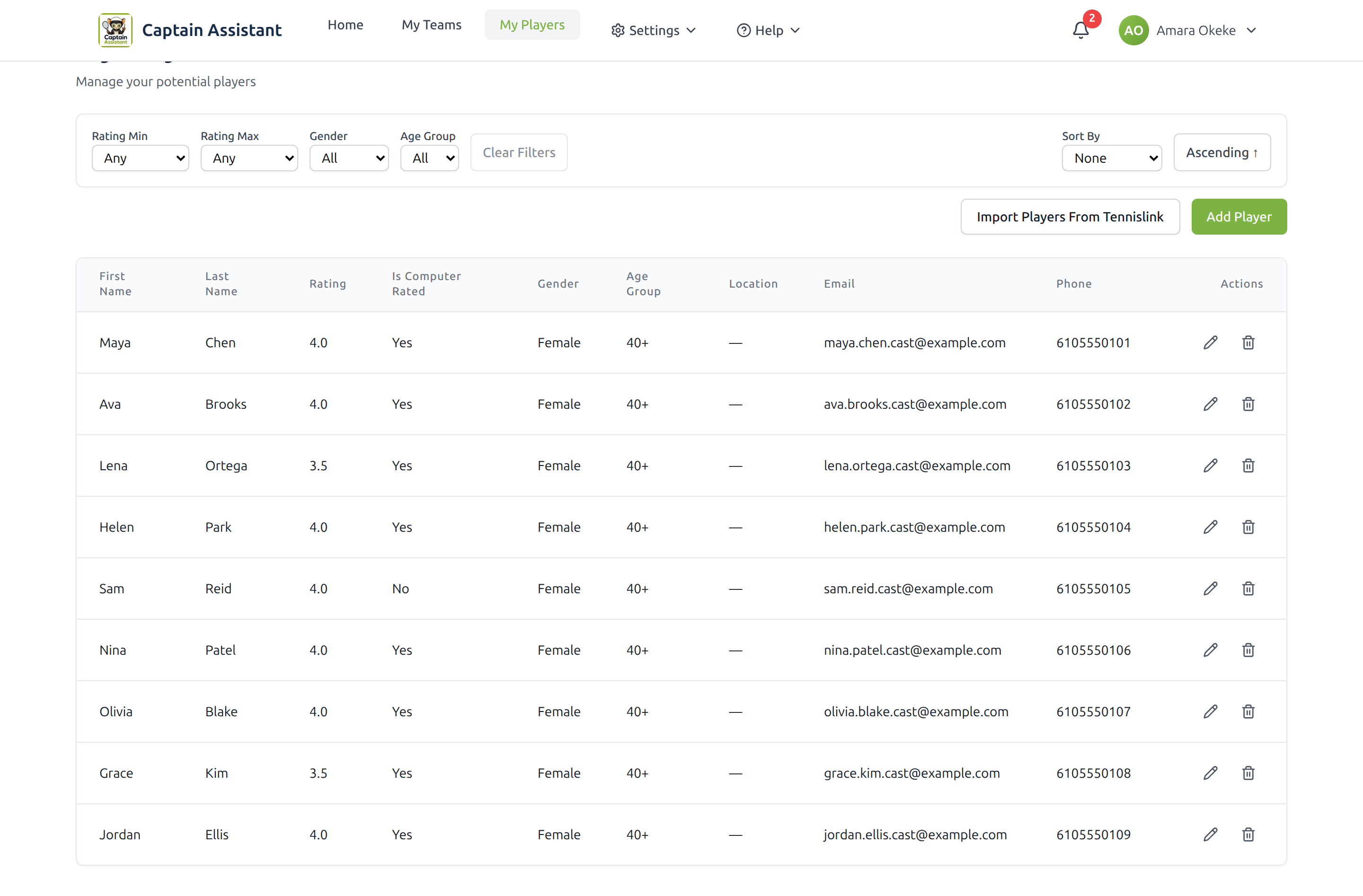
Your tennis contacts, in one list
Keep the people you might ask to play, and build a team from that list.
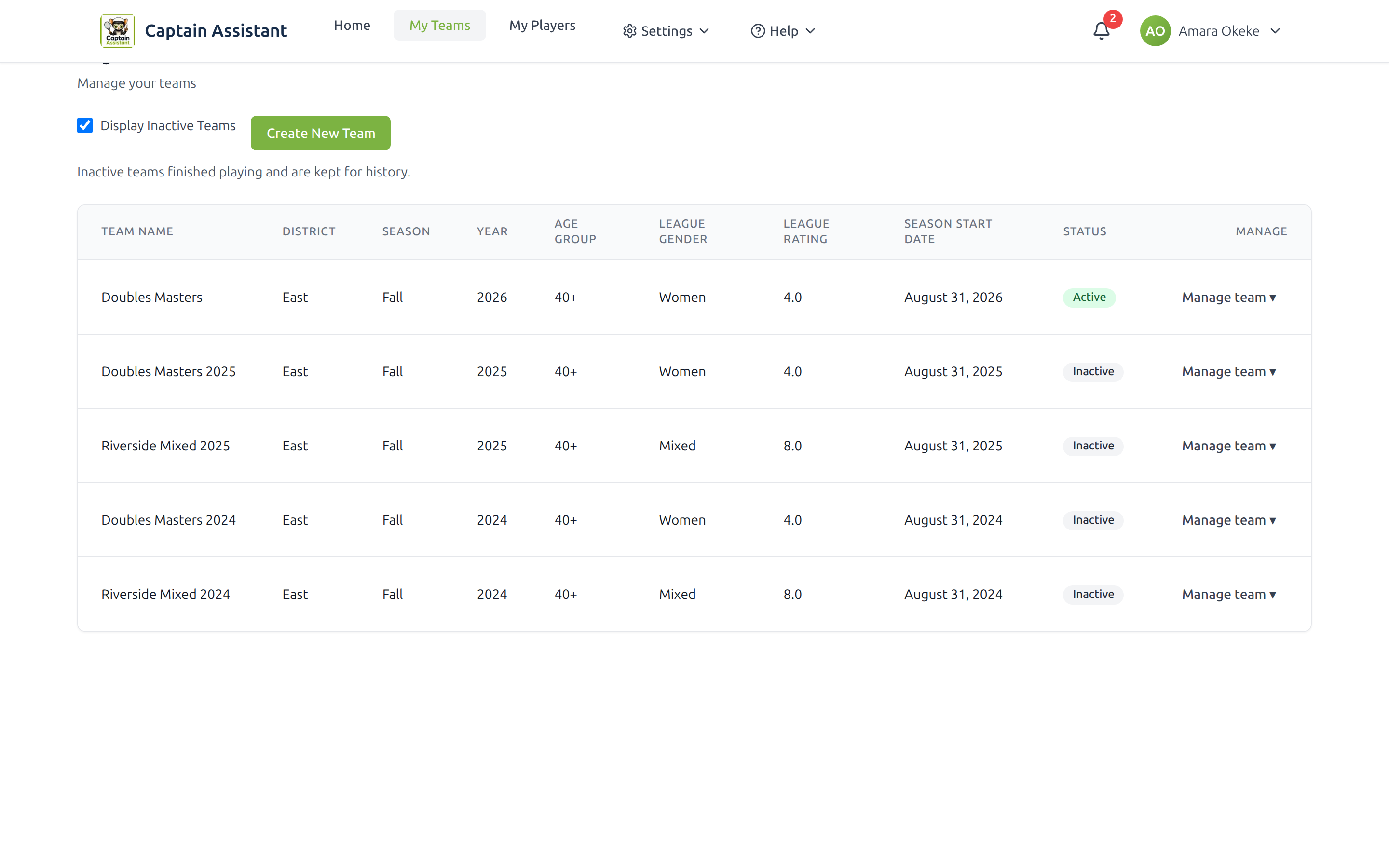
This season, and the ones you already finished
Active teams and past teams are in one place.
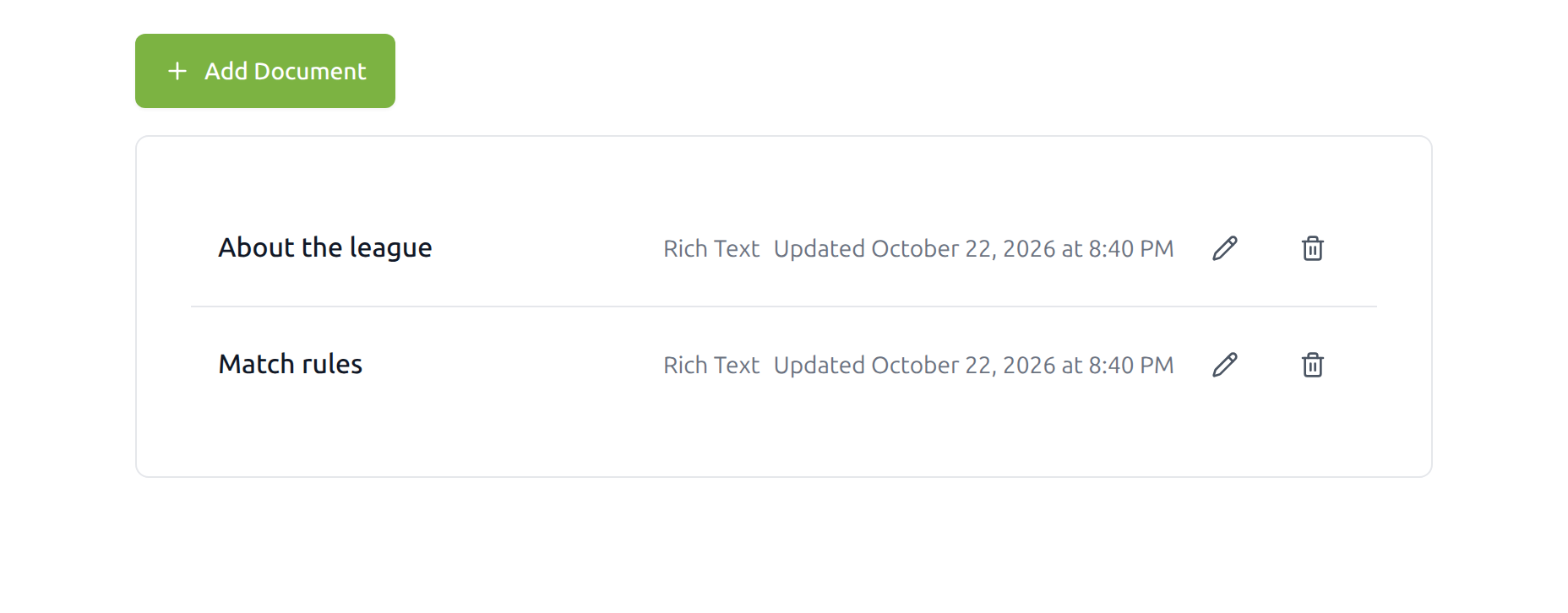
One link for the team’s files
Put the league rules, the match rules, or any other file in one place. Players open the link. You do not attach the same file again.
Product disclaimer
Captain Assistant is not an official USTA product.
Sign up
Ready when you are. You stay in charge of every send.